Uncensored AI Video Generator: The Complete Guide
THE DEFINITIVE 2026 GUIDE · TOOLS TESTED & COMPARED
Tired of content filters killing your creative vision? This guide covers everything: the best uncensored AI video generators, cloud vs local setup, quality optimization, legal compliance, and real solutions to the problems creators actually face.
Drag & Drop / Click to upload
Drag and drop your image here, or click to browse files to begin!
Try our AI video generator — free daily credits, no ID verification, no content restrictions on artistic work.
Why Creators Are Searching for Uncensored AI Video Generators
The demand for unrestricted AI video tools has grown 120% year-over-year. Here's what's driving it.
Content Filter False Positives
Medical illustrators blocked for anatomy terms. Fantasy artists flagged for action scenes. Fashion designers restricted for clothing descriptions. Mainstream platforms reject perfectly legitimate content because their dual-layer filtering scans both your prompt AND the predicted output — even safe prompts get blocked if the AI thinks the result might look sensitive.
Silent Prompt Rewriting
Many platforms secretly modify your prompts behind the scenes, transforming your dark, moody sci-fi scene into something bright and sanitized. You type one thing, the AI generates something completely different — and you're never told why.
Quality vs Freedom Trade-off
The most advanced AI video models are also the most locked down. Users are forced to choose between cutting-edge quality with heavy restrictions, or creative freedom with noticeably lower output quality.
Pricing Opacity & Hidden Costs
Confusing credit systems, subscriptions that charge whether you use them or not, free trials that auto-bill, and unclear credit-to-video conversion rates. Some platforms even require cryptocurrency payments with zero accountability.
High Hardware Barriers
Open-source models offer true freedom, but running them locally requires a GPU with 12-24GB VRAM (RTX 4090 costs $1,600+), complex software setup, and significant technical knowledge. This prices out most casual creators.
Legal Risk Awareness Gap
Deepfake legislation has exploded — 47 US states now have laws, the TAKE IT DOWN Act carries up to 3 years in prison, and the EU AI Act takes effect in 2026. Most users are unaware of these rapidly evolving legal boundaries.
See What's Possible
Examples of what uncensored AI video generators can create — from cinematic scenes to creative experiments.
Top Uncensored AI Video Generators Compared
We tested the leading tools across quality, freedom, pricing, and ease of use. Here's how they stack up.
| Tool | Type | Max Quality | Freedom Level | Price | Ease of Use |
|---|---|---|---|---|---|
| ComfyUI + Wan 2.1 | Local | 1080p+ | 100% | Free (HW cost) | 2.0 |
| Deep-Fake.ai | Cloud | 1080p 60fps | 100% | Free / Pro | 5.0 |
| ZenCreator | Cloud | 1080p 60fps | 100% | $19.99/mo | 4.5 |
| Mage Space | Cloud | 1080p | High | Subscription | 4.0 |
| A2E.ai | Cloud | 720p | 80% | $10 credits | 4.5 |
| Perchance AI | Cloud | 480p | 80% | Free | 5.0 |
| Venice AI | Cloud | 720p | 70% | $15/mo | 4.0 |
| PixelDojo | Cloud | 1080p | High | $35/mo | 4.0 |
| Locally Uncensored | Local | HW dependent | 100% | Free | 3.0 |
| Kling 2.1 | Cloud | High | Medium | Subscription | 4.0 |
| Hailuo/Minimax | Cloud | Medium-High | Moderate | Subscription | 4.0 |
| Seedance | Cloud | High | Medium | $0.15-0.6/5s | 3.5 |
Cloud vs Local: How to Choose Your Path
The biggest decision in uncensored AI video generation isn't which tool — it's which approach.
Cloud Platforms
No hardware investment required
Instant setup, start generating in minutes
Regular model updates handled automatically
Accessible from any device
Still have some content moderation
Monthly subscription costs add up
Your prompts pass through external servers
Platform can change policies anytime
Local Generation
Complete creative freedom — zero content filters
Total privacy — nothing leaves your machine
No recurring costs after initial hardware investment
Full control over models, workflows, and output
Requires GPU with 12-24GB VRAM ($400-$1,600+)
Complex setup with steep learning curve
Quality gap vs top cloud models (closing fast)
You manage updates and troubleshooting yourself
Beginner Creator
Start with cloud platforms like A2E.ai or Perchance AI for zero-setup experimentation.
CloudPrivacy-First User
Run ComfyUI + Wan 2.1 locally. Your prompts and outputs never leave your machine.
LocalProfessional Filmmaker
Use cloud tools for speed and convenience, local for maximum control and unrestricted output.
BothBudget Creator
Perchance AI (free, 480p) or AnimateDiff on Google Colab (free GPU access).
Free CloudHow to Set Up Local AI Video Generation
Follow these steps to run uncensored AI video generation on your own hardware.
Install ComfyUI
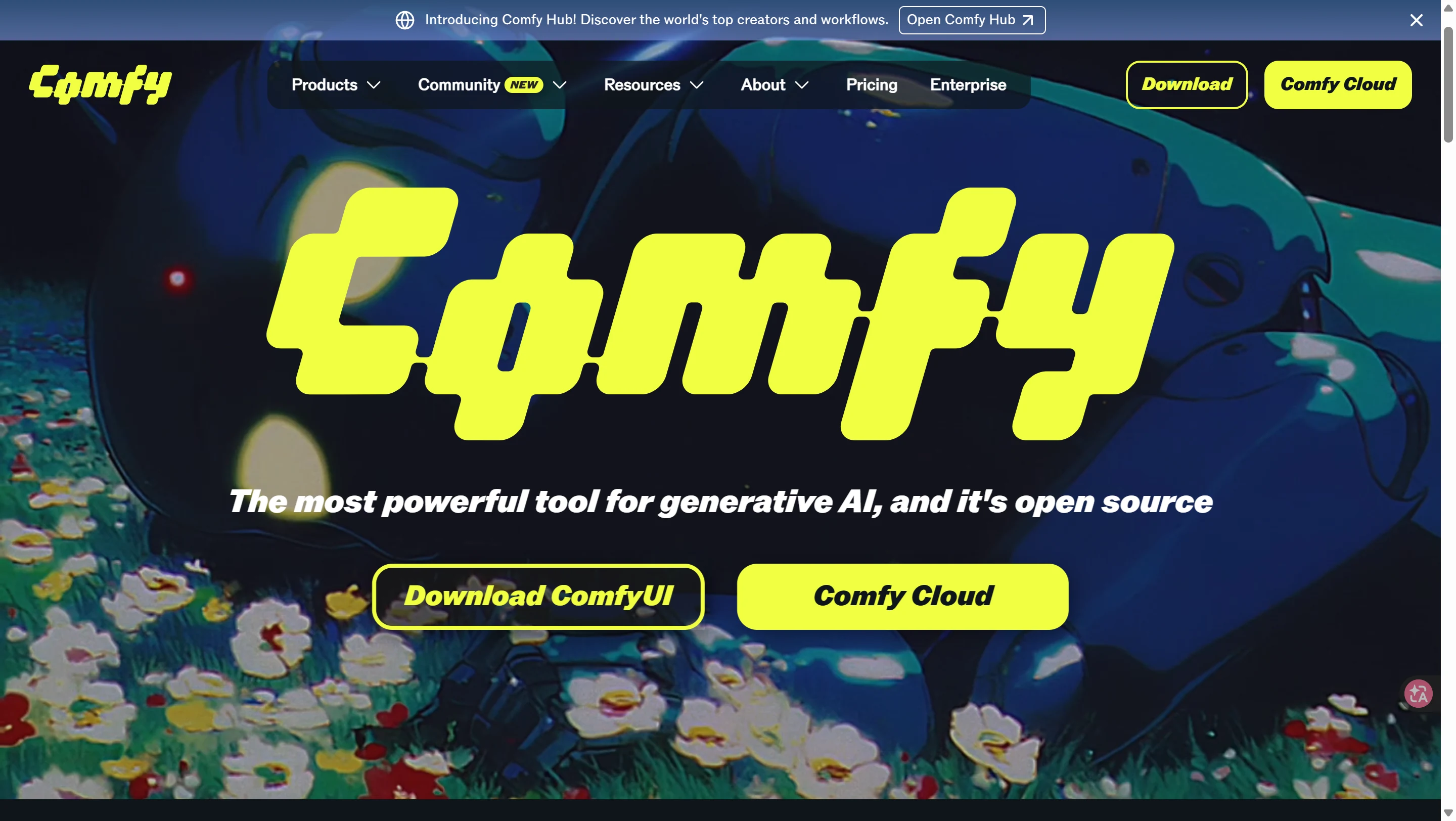
Download ComfyUI from comfy.org. It's a free, open-source node-based workflow tool that gives you total control. Alternatively, use Locally Uncensored for a one-click all-in-one installation.
Download a Video Model
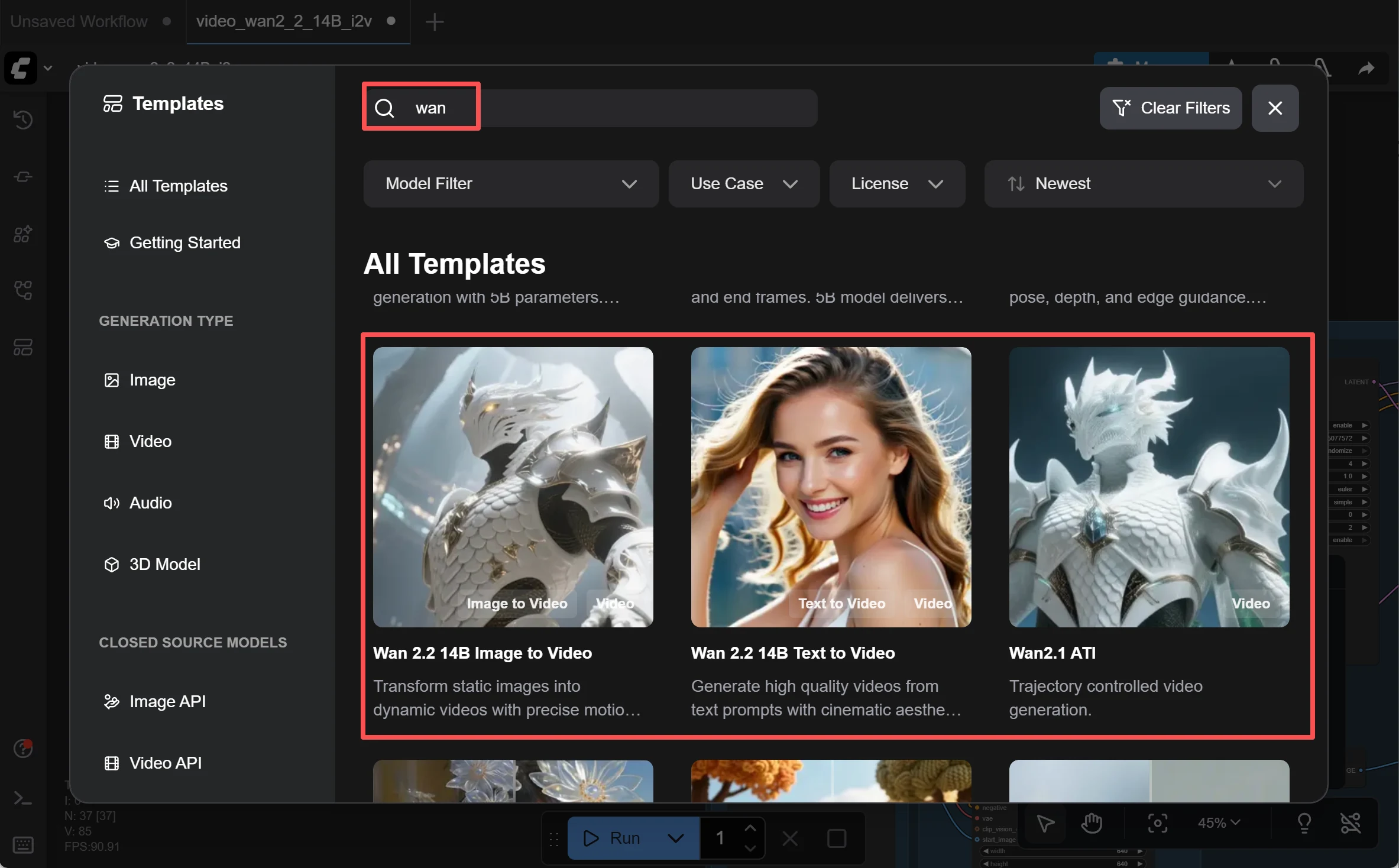
Wan 2.1/2.2 is recommended for most users — the 1.3B version runs on just 8GB VRAM, while the 14B variant delivers better quality. HunyuanVideo 1.5 is another strong option for those with 14GB+ VRAM.
Load a Workflow
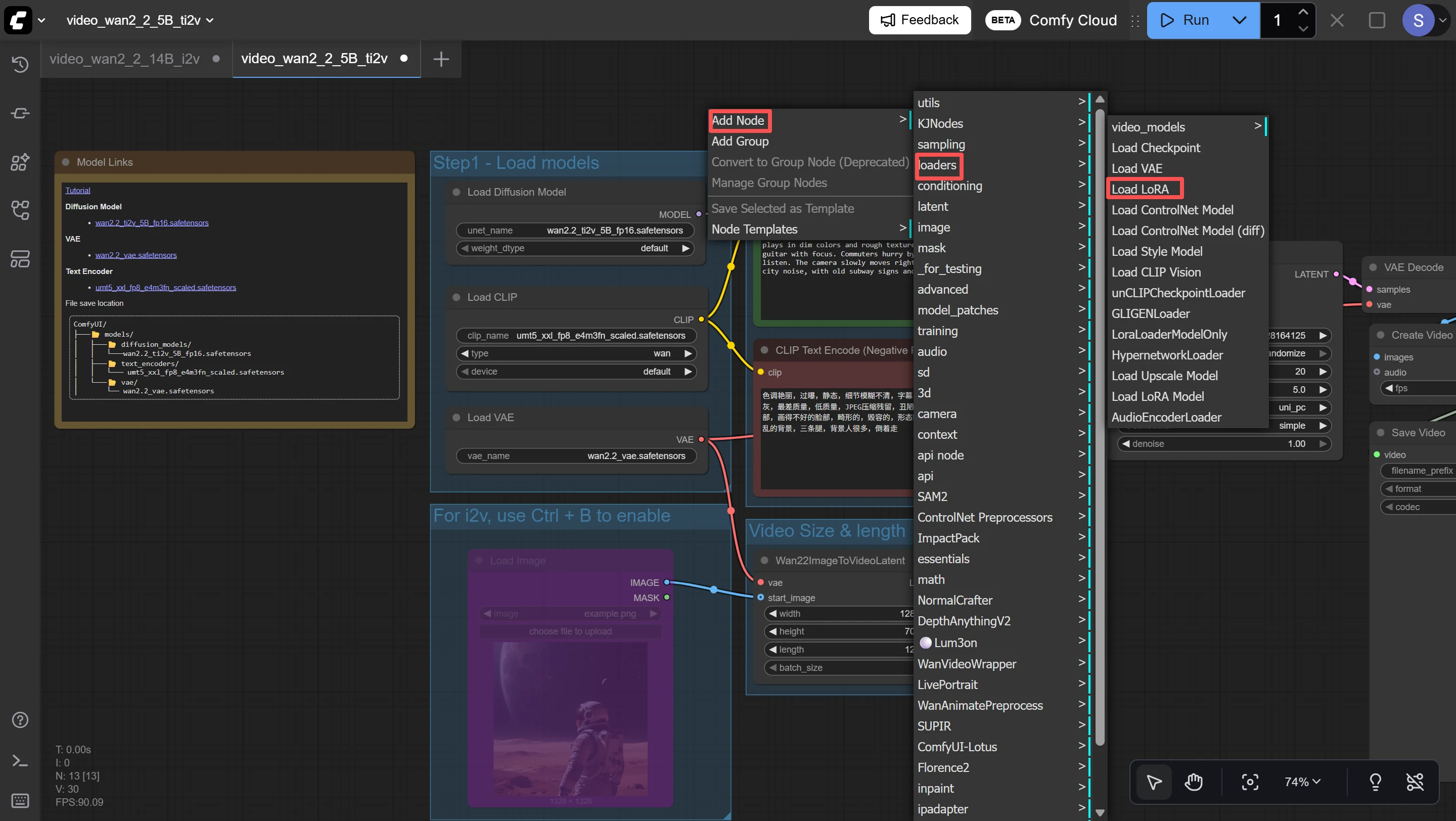
Import a text-to-video or image-to-video workflow from ComfyUI's official workflow library. These pre-built workflows connect all the necessary nodes automatically.
Generate Your First Video
Write your prompt, adjust parameters like resolution and frame count, and click Generate. Start with short 3-5 second clips to test quality before scaling up.
Hardware Requirements
8GB VRAM (RTX 3060/4060): AnimateDiff, Wan 2.1 small model — entry-level quality
12GB VRAM (RTX 3060 12GB/4070): LTX-Video, CogVideoX — good quality
16GB VRAM (RTX 4080): SVD, DynamiCrafter — high quality
24GB VRAM (RTX 4090/5090): All models at full quality — recommended
Common Problems & Solutions
Real solutions to the issues uncensored AI video creators face most often.
Legal & Safety: What You Need to Know
The legal landscape for AI-generated video is evolving rapidly. Stay informed to stay safe.
Every legitimate uncensored AI video generator prohibits CSAM, non-consensual deepfakes of real people, and content violating applicable law. 'Uncensored' means removing overly broad moderation — not removing all rules.
United States
The TAKE IT DOWN Act (signed 2025) criminalizes publishing non-consensual intimate AI imagery — up to 3 years in prison and fines. 47 states have enacted deepfake-specific laws. California leads with 18 statutes. The DEFIANCE Act allows victims to sue for up to $250,000.
European Union
The EU AI Act Article 50 (effective August 2026) requires all AI-generated content to be machine-detectable and clearly disclosed. Penalties up to €15 million or 3% of global turnover. Providers must embed provenance metadata.
Global Trends
China requires clear labeling of all AI content. Japan criminalizes non-consensual intimate AI imagery. France imposes fines up to €60,000 and 2 years imprisonment. Deepfake incidents surged 257% in 2024 — legislation is accelerating worldwide.
Stay Safe
Never create non-consensual intimate imagery of real people
Always verify content complies with your local jurisdiction's laws
Use watermarking and metadata disclosure where required
Keep generated content for personal use only unless you have proper rights
Review platform terms of service before commercial use
Frequently Asked Questions
Start Creating Without Limits
Try our AI video generator with free daily credits. No ID verification, no restrictive content filters, no compromises on quality.