
How to Create NSFW Deepfakes with AI Face Swap
The Complete Workflow Guide — What Works, What Breaks, and How to Fix It (2026)
Everything you need to know about creating adult deepfakes with AI face swap — from picking the right source photo to fixing common artifacts. No install, no GPU, 3 free swaps daily.
TL;DR — 3 Steps to a Convincing NSFW Deepfake
Pick the right photo
Front-facing, well-lit, ≥1024px. No sunglasses, no hats, neutral expression. Lighting match matters more than resolution.
Choose your target video
Pick a scene where the face is mostly front-facing and well-lit. Avoid extreme side profiles — most AI models fail beyond 45°.
Swap and refine
Upload both to a face swap tool, generate, and check for seam lines or skin mismatch. If the result is off, try a different source photo angle before changing settings.
How AI Face Swap Actually Works
The 5-stage pipeline behind every deepfake — explained without the jargon.
Face Detection
The AI locates and segments the face in both your source photo and the target video — mapping 68+ facial landmarks (eyes, nose, jawline, mouth) in every frame.
Identity Extraction
A neural network encodes the source face's unique identity features — bone structure, skin texture, eye spacing — into a compact numerical representation called an embedding.
Attribute Transfer
The target face's expression, head pose, and lighting are preserved while the source identity is blended in. Modern tools use GAN + Diffusion hybrid architectures for this step.
Face Generation
The blended face is reconstructed pixel by pixel. Diffusion models handle skin texture and hair boundaries; GANs maintain temporal consistency across video frames.
Seamless Blending
The generated face is color-corrected and composited back into the original frame — matching lighting direction, skin tone, and grain so the boundary disappears.
Why NSFW Face Swap Is Harder Than Regular Face Swap
Adult scenes introduce six technical challenges that don't exist in standard face swapping.
Heavy Occlusion
Hands, hair, and body parts frequently cover parts of the face. Standard face-detection models lose track of landmarks when >30% of the face is occluded, causing ghosting artifacts.
Extreme Expressions
Wide-open mouths, exaggerated expressions, and rapid facial movement push models past their training distribution. The mouth area is the most common failure point — teeth reconstruction is notoriously unreliable.
Non-Frontal Angles
Side profiles, overhead shots, and upward angles are common in adult content. Most face swap models degrade sharply beyond 45° — identity preservation drops from ~95% (frontal) to ~60% (profile).
Complex Lighting
Adult scenes often have dim, uneven, or colored lighting. When the source photo was taken in daylight but the target video is lit by warm lamplight, the skin tone mismatch is immediately obvious.
Face-Body Skin Mismatch
When the source face and target body belong to different people, neck seams and skin-tone transitions become visible. This is the #1 tell in amateur deepfakes.
Temporal Flickering
Fast motion causes frame-to-frame inconsistency — the swapped face appears to 'flicker' or shift identity between frames. Tools that process each frame independently are worst affected.
Source Photo Guide — What Makes a Good Face Photo
Face swap quality is 70% input discipline, 20% tool choice, 10% luck. Most tutorials reverse that ratio.
Do's
- Use ≥1024×1024 resolution — the face itself should be ≥200px on each axis
- Front-facing or slight three-quarter angle (≤30° from center)
- Even, diffused lighting — match the target video's light direction if possible
- Neutral or relaxed expression — the AI generates expressions from the video
- Full face visible — forehead to chin, ear to ear
- Original photo quality — not a screenshot or heavily compressed image
Don'ts
- Blurry or pixelated images (under 200px face = waxy output)
- Extreme side profiles (>45° from center)
- Sunglasses, hats, or masks covering facial features
- Heavy makeup or filters that alter face geometry
- Strong shadows covering half the face
- Laughing or shouting expressions (creates emotional mismatch)
Pro tip: Lighting consistency matters more than resolution. An outdoor-lit source + flash-lit target creates visible mismatch. Similar lighting beats higher pixels every time.
Step-by-Step: Create Your First NSFW Deepfake
Four steps, under two minutes, no install required.
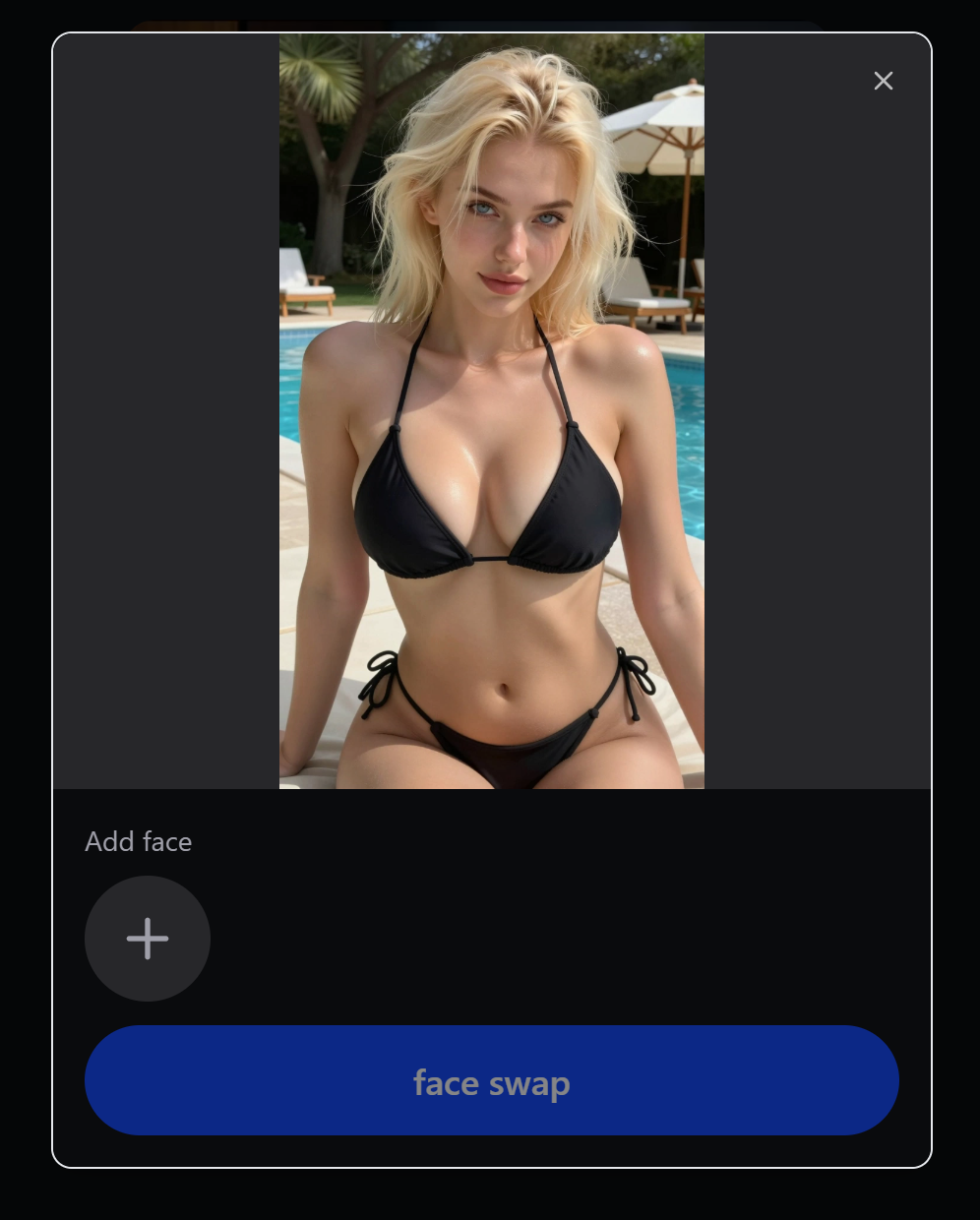
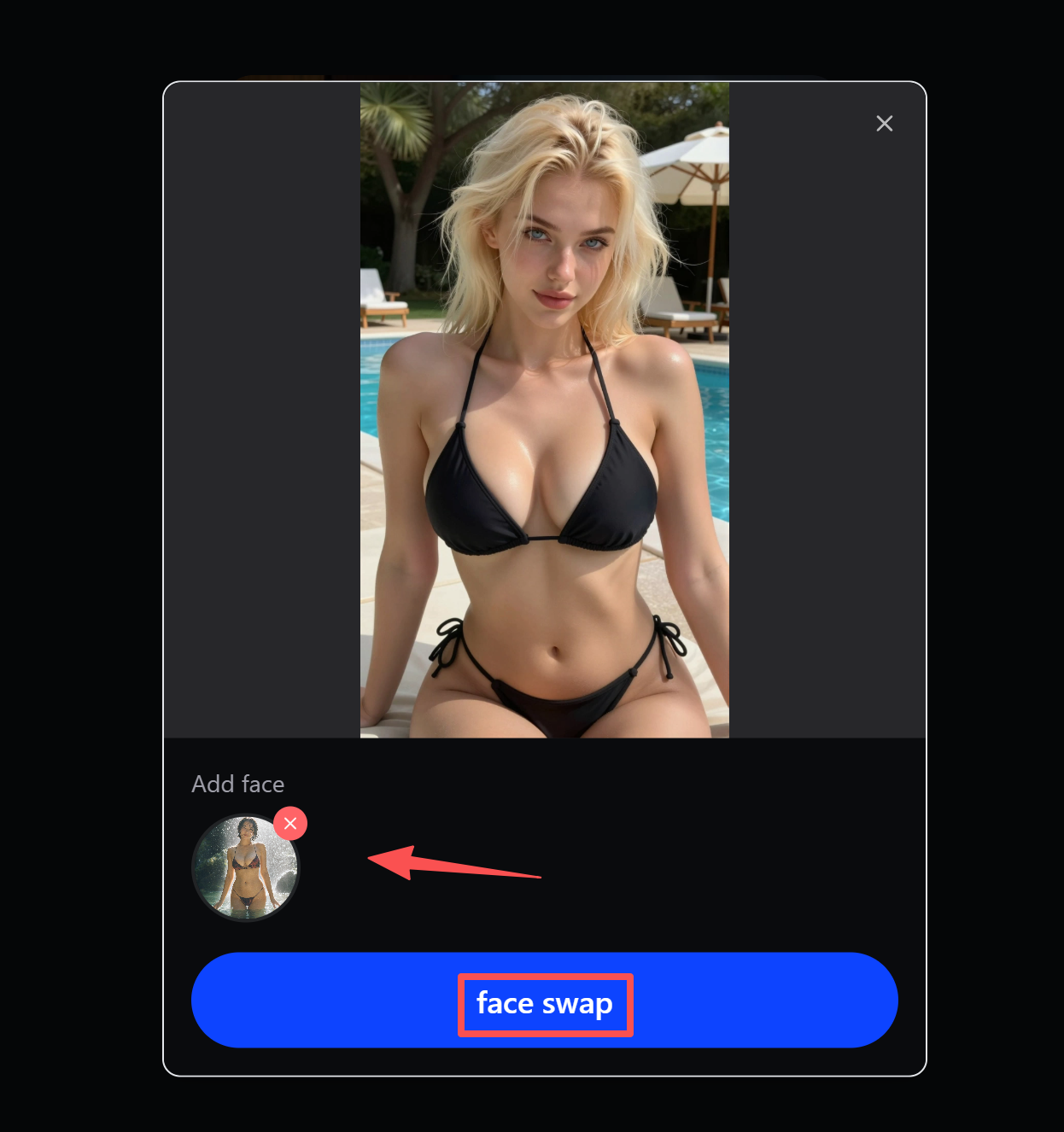
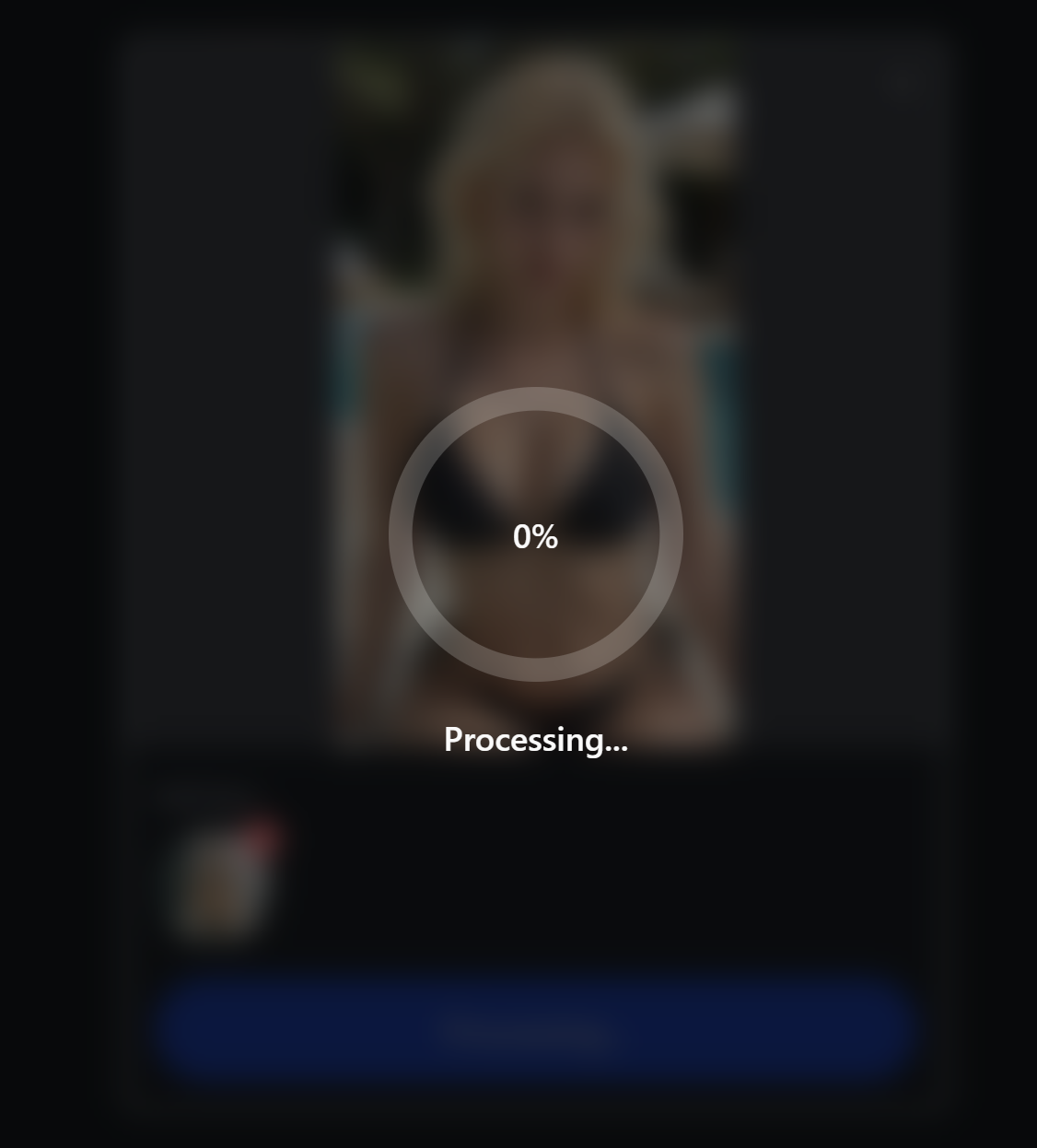
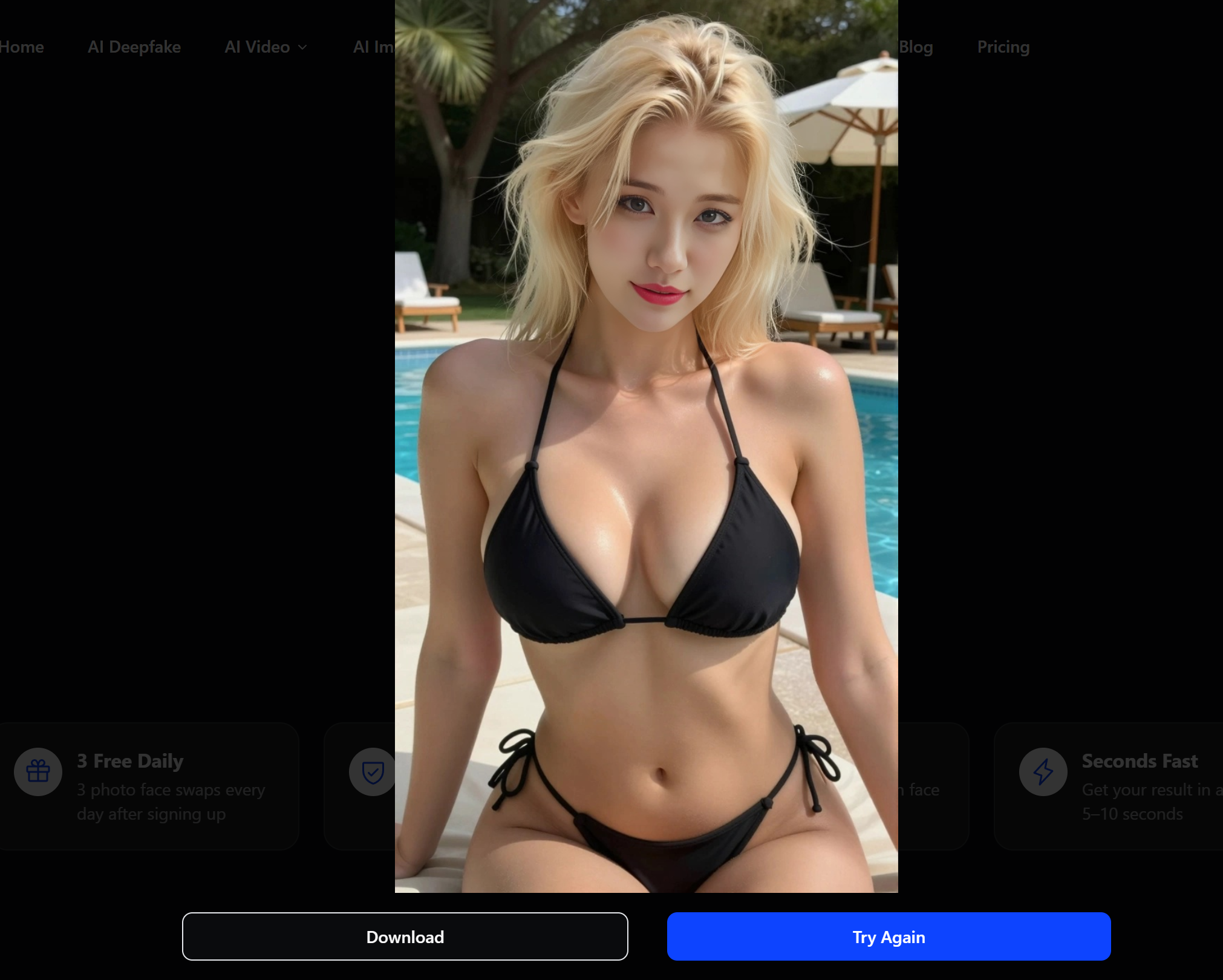
Prepare Your Source Photo
Crop to just the face and shoulders. Check that the face is ≥200px wide. If the photo is dark, bump brightness slightly — but don't over-process. Keep it natural.
Tip: If you have multiple photos of the same person, pick the one whose lighting direction is closest to the target video.
Choose Your Target Video
Select a clip where the face is mostly visible and front-facing. Shorter clips (5-15 seconds) produce better results — start small and iterate.
Tip: Avoid scenes with rapid head turns or heavy occlusion for your first attempt. You can tackle harder clips once you understand how the tool handles them.
Run the Face Swap
Upload both the source photo and target video. The AI will detect faces, extract identity, and generate the swapped result. Processing takes 15-60 seconds depending on clip length.
Tip: If the face doesn't look right on the first try, swap to a different source photo before adjusting any settings. A better input photo fixes 90% of issues.
Review and Download
Check the result for seam lines, skin mismatch, and expression sync. If it's good, download. If not, try a different source photo or a shorter clip. Failed renders don't cost a credit.
Tip: Watch the video at full speed first, then frame-by-frame at problem spots. Issues visible at 1x playback matter; frame-level imperfections usually don't.
Common Failures & How to Fix Them
Six problems you'll hit and their solutions — based on community testing with 10,000+ swaps.
Blurry / Waxy Face
Visible Neck Seam
Frame-to-Frame Flickering
Expression Desync
Face Melts on Side Profile
Lighting Mismatch
Face Swap Tool Comparison (2026)
Five tools, five profiles. There is no single best — pick the one that fits how you work.
| Tool | Type | Setup | Quality | Real-time | Cost | Privacy |
|---|---|---|---|---|---|---|
| FaceFusion 3.6 | Open Source / Local | Medium (CLI) | High | Limited | Free | Fully Local |
| DeepFaceLab | Open Source / Local | Hard (training required) | Highest | No | Free | Fully Local |
| VisoMaster | Open Source / Local | Easy (GUI) | High | Yes | Free | Fully Local |
| Rope / Roop | Open Source / Local | Medium | Moderate | Yes | Free | Fully Local |
| DEEP-FAKE.AI | Online SaaS | Easiest | High | No | 3 Free / Day | Cloud, 24h Auto-Delete |
Face Swap vs. Image-to-Video — When to Use Which
Two different tools for two different goals. Here's how to choose.
Face Swap


Replaces a face in an existing video while keeping the original body, motion, and scene.
Image-to-Video
Generates an entirely new video from a single still photo — creating motion, camera movement, and scene from scratch.
Use face swap when you have footage you love but want a different face. Use image-to-video when you have a great photo and want to bring it to life. Many creators use both — face swap for existing clips, image-to-video for original content.
Legal & Ethics — What You Must Know
Deepfake laws are tightening globally. Here's the 2026 landscape.
Creating NSFW deepfakes of real, identifiable people without their consent is illegal in most jurisdictions and a violation of their rights. The following is a factual overview of current laws — not legal advice.
United States
TAKE IT DOWN Act (2025) — federal crime to publish non-consensual intimate imagery, real or AI-generated. 48 states have additional deepfake laws.
European Union
EU AI Act requires transparency labels on deepfakes. Individual member states (e.g. France Article 226-8-1) criminalize non-consensual sexual deepfakes specifically.
Brazil
2025 criminal code amendment increases penalties for using AI to cause psychological violence, targeting deepfake abuse as gender-based violence.
South Korea
Among the world's toughest: even possessing or viewing non-consensual deepfake porn is illegal. Mandatory minimums for creation and distribution.
Japan
No specific deepfake law yet. Creation may be prosecuted under defamation or copyright. New regulations under active discussion as of 2026.
The Consent Rule
On this platform, you may only use face swap on your own face or with explicit consent from the person depicted. Content depicting minors, non-consenting individuals, or non-consensual scenarios is blocked at both the prompt and image level.
Frequently Asked Questions
Ready to Try?
3 free face swaps daily. No credit card, no watermark, no install. Upload a photo, pick a video, get your result in under a minute.