logo

7 Best Deepfake Apps in 2026

Honest Side-by-Side Comparison from a Real User

Ever imagined swapping your face onto a celebrity or influencer? With today's AI, it's easier than ever. I put 7 of the most popular deepfake apps to the test — here's what actually works, what doesn't, and which one is right for you.

Why I Wrote This Comparison

Behind every deepfake app is a fully trained AI face-swap model. But today, you don't need to download models or set up anything yourself. Most of these apps let you sign up (many even offer free credits) and start swapping faces instantly — some with zero restrictions.

I put 7 representative products side by side for a complete, user-perspective comparison: DEEP-FAKE.AI, DeepSwap, FaceFusion.co, Reface, HeyGen, Synthesia, and AKOOL. This guide covers each product's features, core strengths, real-world results, how to use it, pricing, and a final buying recommendation.

Pricing and feature info is based on what I verified on each platform's public pages as of April 2, 2026. Always double-check the official site before purchasing.

7 Apps Tested

50+ Hours of Testing

150+ Face Swaps

TL;DR — Quick Verdict

If you're a solo creator who wants image generation, face swap, and video creation in one workflow — DEEP-FAKE.AI is your best bet.

If you want the most fun, share-ready deepfake app on mobile — Reface is still the classic choice.

If you care most about "how realistic does the swap look" and want to do it in a browser — DeepSwap is more of a tool than a toy.

If you want something like open-source FaceFusion but without the installation hassle — FaceFusion.co is worth a try.

If you're building marketing videos, personal branding, or localized content — HeyGen is incredibly strong right now.

If you need corporate training, internal comms, and compliance — Synthesia is usually the safest pick.

If you need live streaming, real-time face swap, APIs, or event marketing — AKOOL has the widest capability range, but plan your costs carefully.

The 7 Best Deepfake Apps, Reviewed

Each app was tested with the same source material for a fair comparison. Here's what I found.

#1

DEEP-FAKE.AI

Editor's Choice

All-in-One AI Creative Platform

4.8

My Verdict

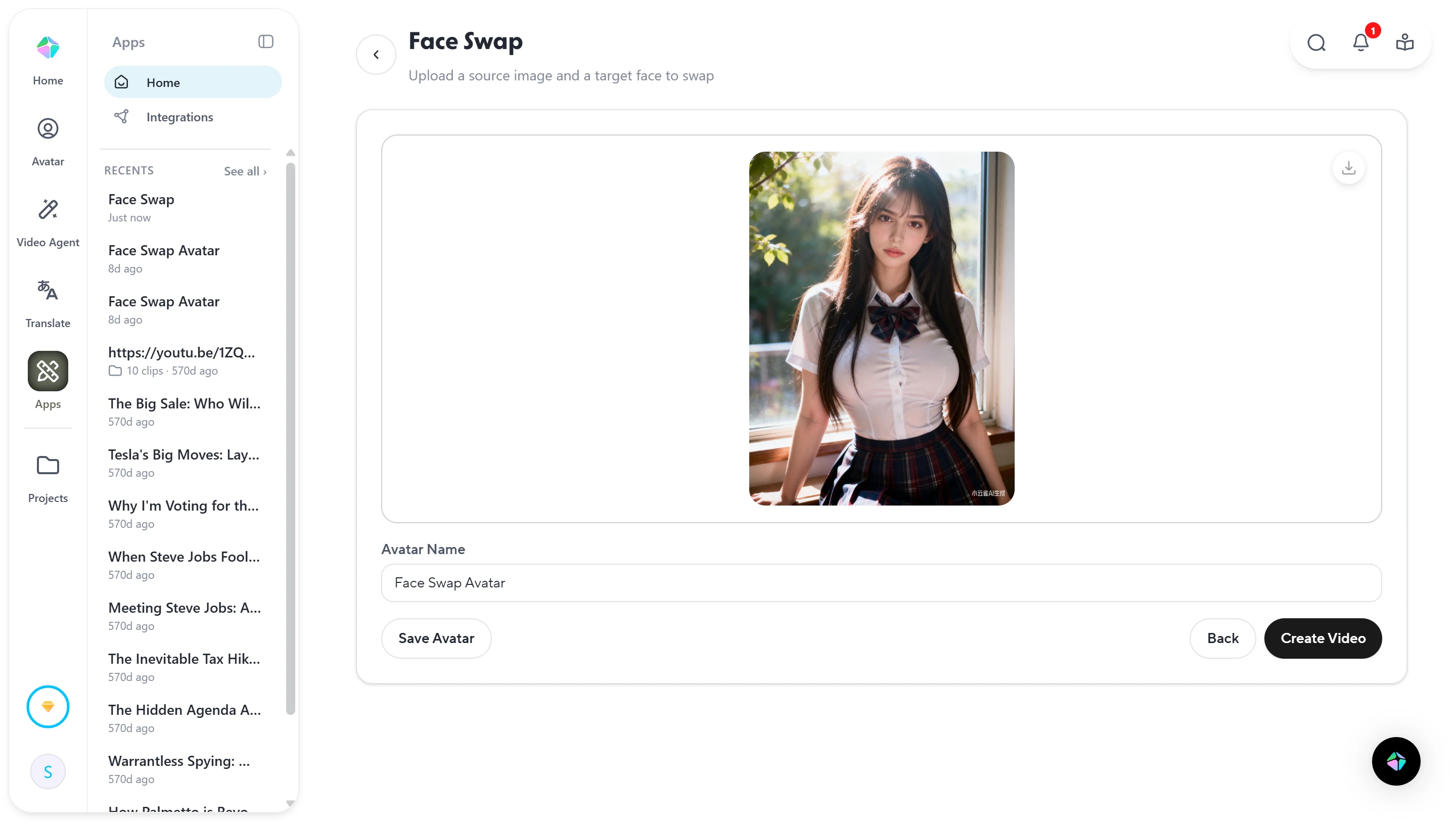
DEEP-FAKE.AI isn't just a face-swap tool — it's trying to put the entire "idea → image → face swap → video" pipeline into one unified workflow. It's clearly built for creators, marketers, and social media content producers rather than enterprise buyers.

Unlike most face-swap-only apps, DEEP-FAKE.AI works more like a creative workstation. You don't have to bring your own assets — you can generate images with AI, swap faces, then create videos, all without leaving the site. This workflow is incredibly friendly for solo creators.

What sets it apart from other platforms is that DEEP-FAKE.AI has absolutely no content restrictions — including adult content. You can freely generate NSFW images, videos, and use them for face swapping as you wish.

The real highlight isn't any single feature — it's how short the entire pipeline is. Many users don't need "the absolute best single-feature quality"; they need to get a creative idea from concept to finished piece tonight without constantly switching between tools. That's where DEEP-FAKE.AI's product logic really shines.
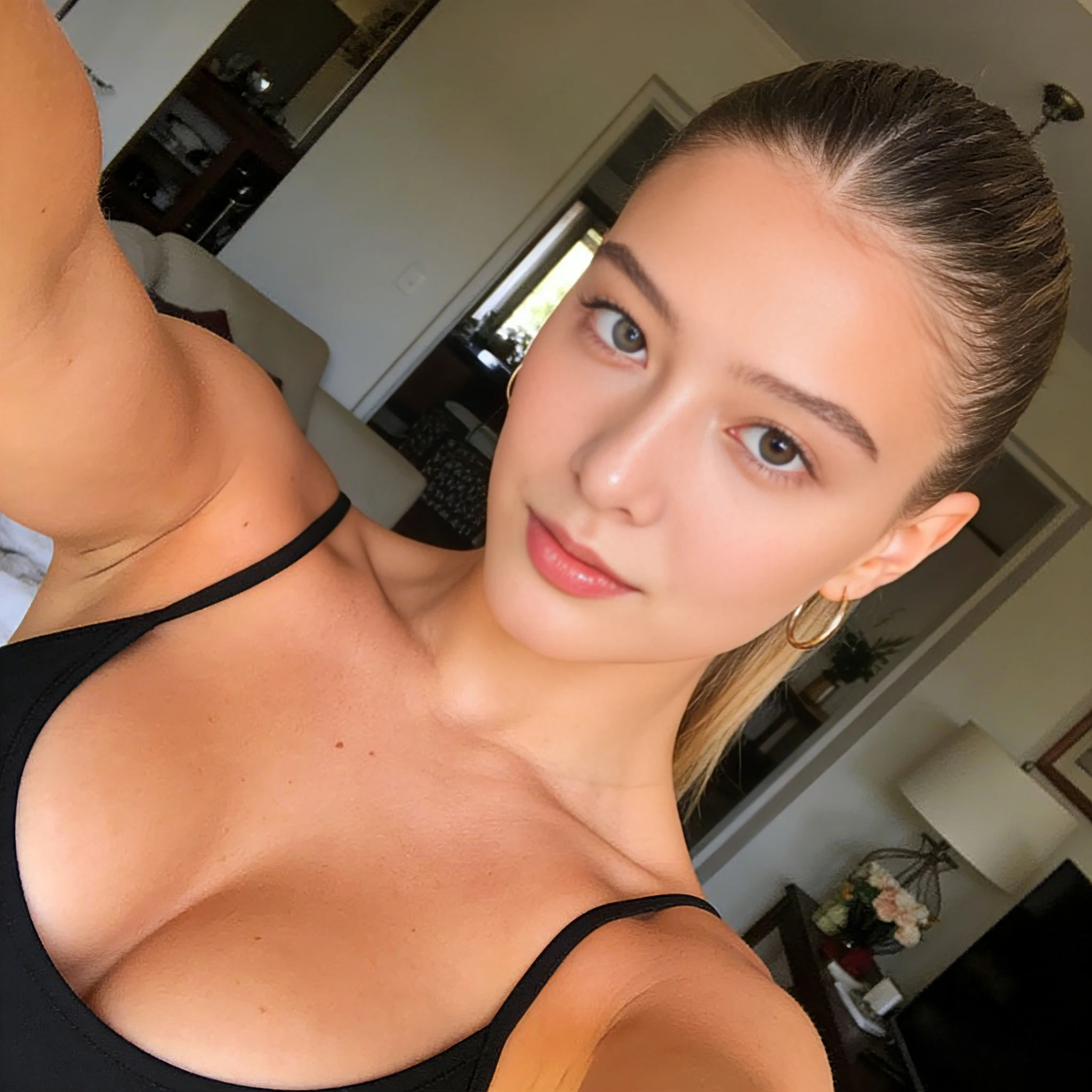

DEEP-FAKE.AI
Original
Swapped

Pros

  • +All-in-one: image generation + face swap + video in one platform
  • +No content restrictions — full NSFW support
  • +Ultra-fast generation (15–30 seconds)
  • +Free daily credits with no watermark
  • +Privacy-first: files deleted quickly, zero logs

Cons

  • Less enterprise feel — weaker on compliance and governance
  • Not the first choice for large brand safety projects
  • Collaboration and team features are limited

Pricing

  • Free: 3 images + 3 videos + 3 face swaps daily
  • Monthly: $9.99/mo
  • Yearly: $89.99/yr

How to Use

  1. 1

    Go to the website.

  2. 2

    Choose AI Image, AI Video, or AI DeepFake.

  3. 3

    Upload your material, or generate assets with a prompt.

  4. 4

    Complete the face swap or video generation.

  5. 5

    Export results — use them for more swaps, editing, or publish directly.

Best For: Solo creators, short-video makers, and anyone who wants the fastest path from idea to finished content.

Who It's For: Solo creators, social media content producers, small studios, or anyone who values speed from idea to final output.

Not Ideal For: Teams that need strong organizational governance, authorization verification, enterprise procurement backing, or strict brand-safety risk controls.
#2

DeepSwap

Best Realism

Browser-Based Face Swap Tool — Focused on Realism

4.5

My Verdict

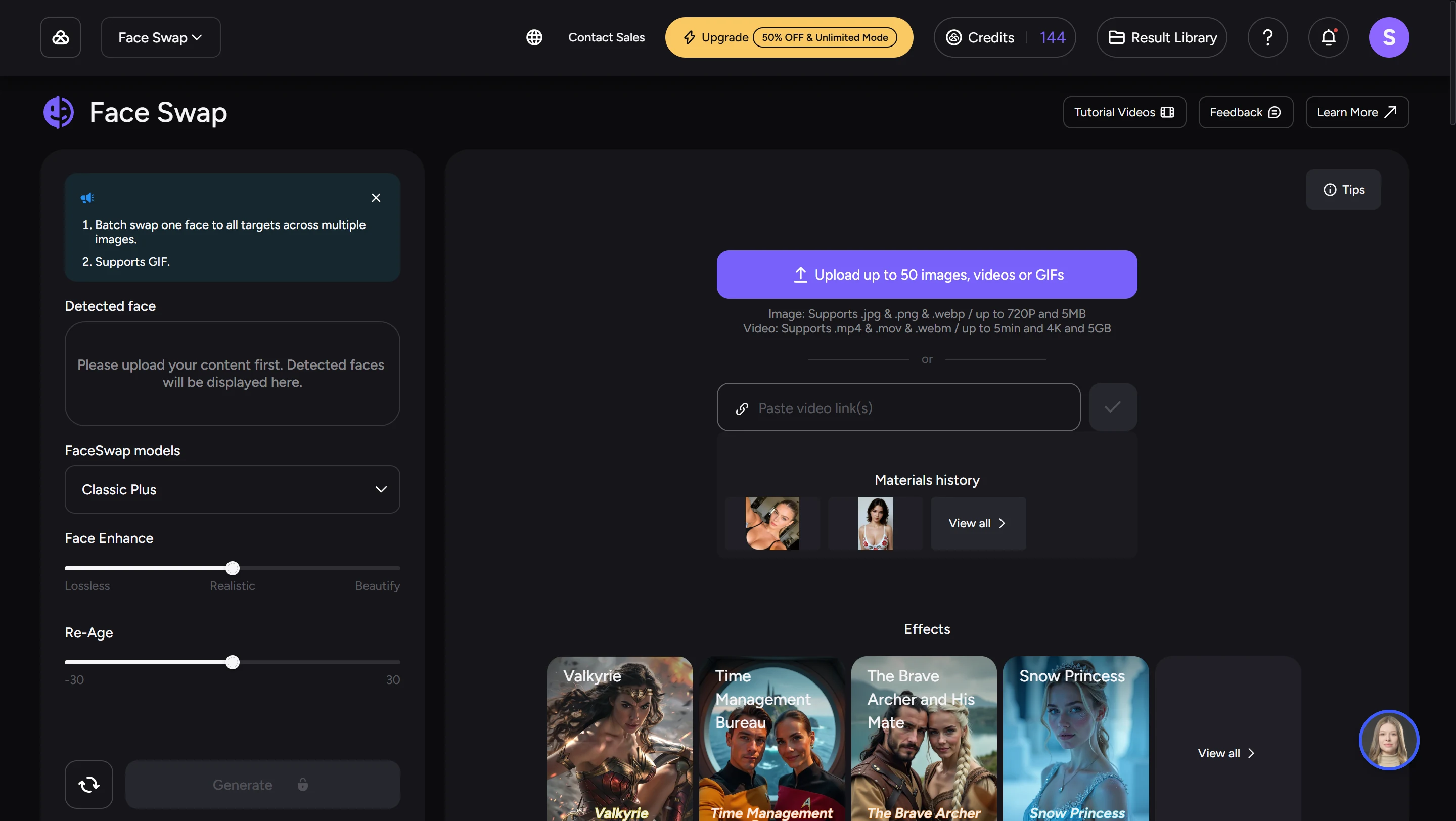
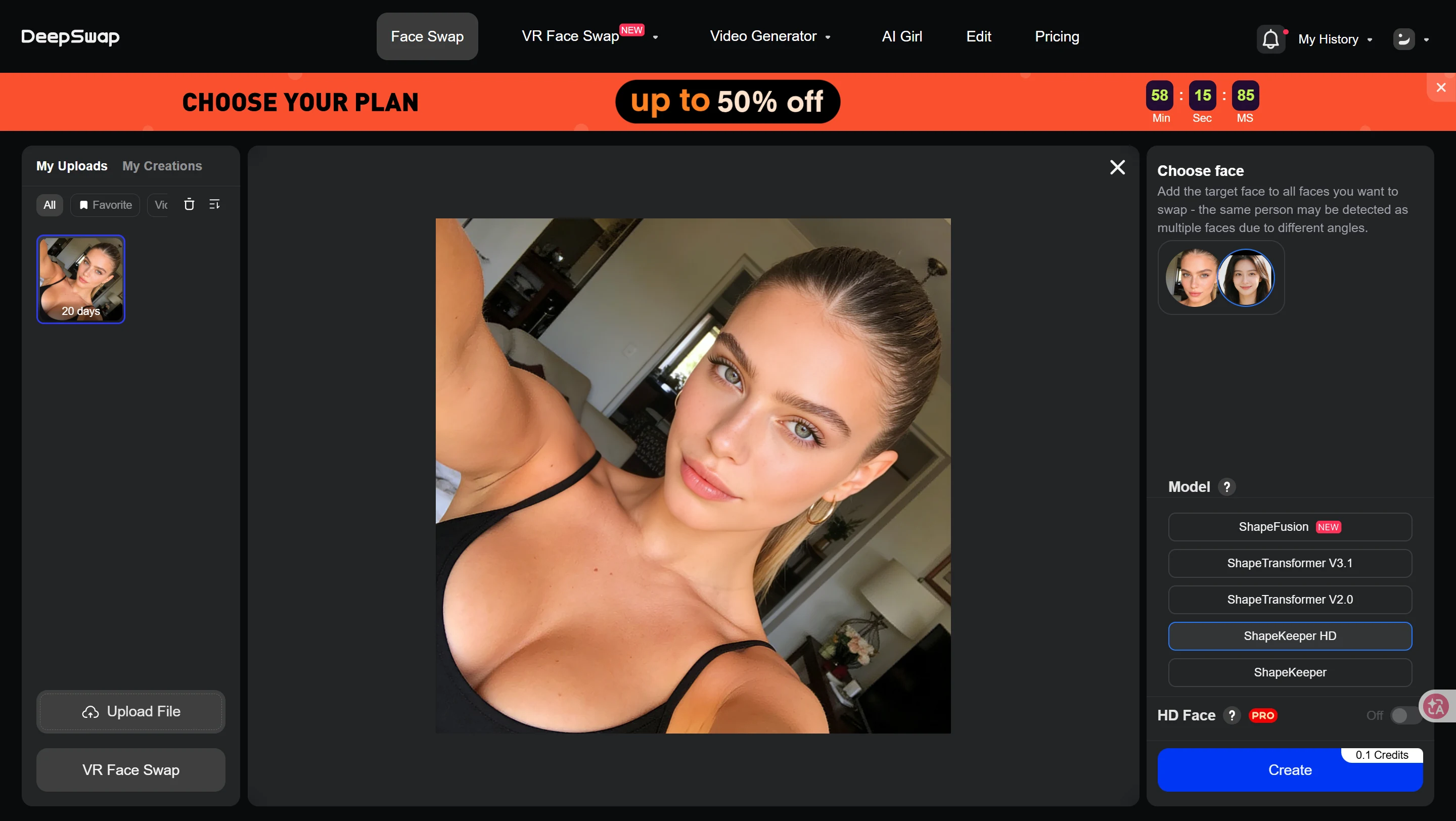
DeepSwap is a classic browser-based face-swap tool — more professional than Reface, more focused than HeyGen. It doesn't try to be an "all-in-one content platform." Instead, it doubles down on high-similarity face swapping in photos, GIFs, and videos.

DeepSwap's positioning is more professional than Reface. The focus isn't on "template fun" — it's on "upload your own material and make it look as real as possible." The official homepage highlights 90%+ face similarity, 16+ challenging scenes, 4K HD output, ~10-second processing for 1-minute videos, and up to 6-person multi-face swapping. Their about page claims 200M+ users served.

After extensive testing, I found it also has very few content restrictions — you can upload adult images and videos. It even supports generating NSFW images and videos, which you can then use directly for face swapping.

Its strength is focus. Its weakness is that the product image and pricing transparency aren't as polished as big-name SaaS products.

DeepSwap
After
Before
Before
After

Pros

  • +High face similarity — focused on making swaps look realistic
  • +Photo/GIF/video face swap with multi-face support
  • +Optimized for difficult scenes: occlusion, side profiles, expressions, lighting
  • +4K output and credit-based system

Cons

  • Single-purpose workflow — not a full creative suite
  • Brand trust and pricing transparency could be better
  • No script-driven video or digital avatar features

Pricing

  • Monthly: ~$9.99/mo
  • Yearly: ~$49.99/yr

How to Use

  1. 1

    Create an account.

  2. 2

    Upload your original photo/GIF/video.

  3. 3

    Upload the face you want to swap in.

  4. 4

    Generate and download.

Best For: Users who want the most realistic browser-based face swaps without the complexity of desktop software.

Who It's For: Anyone who wants a more realistic face-swap tool in the browser.

Not Ideal For: Teams that need brand video workflows, multi-person collaboration, or script-driven video production.

#3

FaceFusion.co

Easiest Start

Web-Based Face Swap — No Download, No GPU

4.3

My Verdict

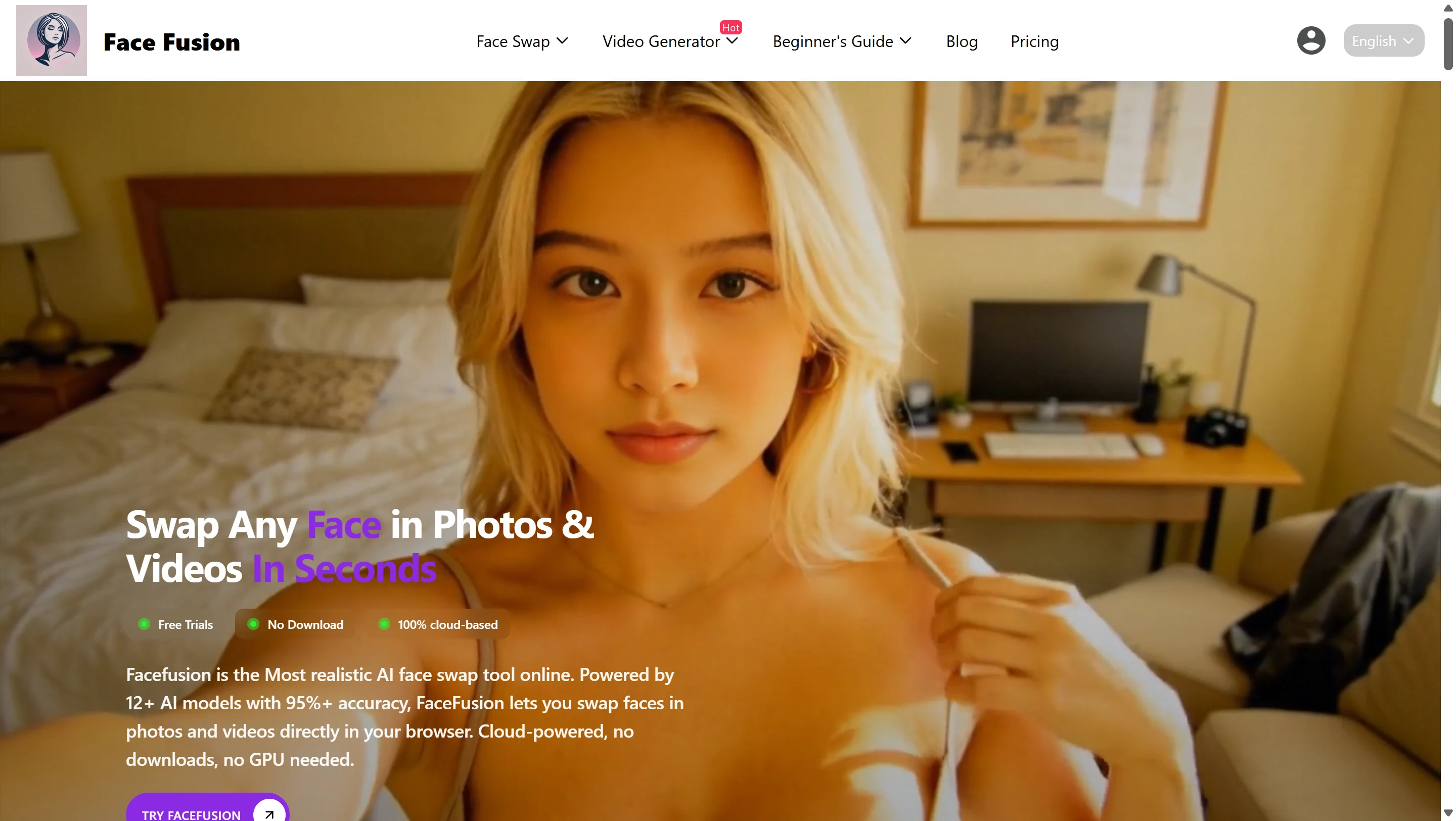
FaceFusion.co is all about "no download, pure browser." It targets users who've heard of the open-source FaceFusion project but don't want to deal with Python, models, CUDA, and dependencies.

The selling point is straightforward: 100% cloud-based, no download, no GPU needed. It claims 95.8%+ face similarity, <8s average photo processing, 12+ AI models, 200+ facial landmark points, and auto-deletion of files within 24 hours.

Due to its open-source roots, FaceFusion.co also has no content restrictions — you can generate uncensored images and videos for face swapping. The platform supports both image and video generation.

Its biggest appeal isn't brand recognition — it's three words: easy, fast, no install. If you know open-source FaceFusion is powerful but don't want to deal with local setup, facefusion.co's barrier to entry is much, much lower.

FaceFusion.co
Original
Swapped

Pros

  • +100% browser-based — no local GPU or installation needed
  • +Claimed 95.8%+ face similarity
  • +Group face swap support
  • +Built-in face enhancement and up to 4K output

Cons

  • Limited for commercial use
  • Not ideal as a long-term primary platform
  • Brand trust and external signals are weaker

Pricing

  • Starter Pack: $9.99/mo (20 credits)
  • Value Pack: $49.99/yr (20 credits/mo, 240/yr)

How to Use

  1. 1

    Open the website.

  2. 2

    Choose photo or video face swap.

  3. 3

    Upload your target material and source face.

  4. 4

    Wait for cloud processing.

  5. 5

    Export your result.

Best For: Users who want a web-based FaceFusion experience without any local setup.

Who It's For: Regular users who want to try web-based face swap, people who don't want to install open-source FaceFusion locally, anyone making quick social videos or meme content.

Not Ideal For: Commercial teams or anyone who needs a long-term, heavy-use platform.

#4

Reface

Best Mobile

The Classic Mobile Deepfake App

4.2

My Verdict

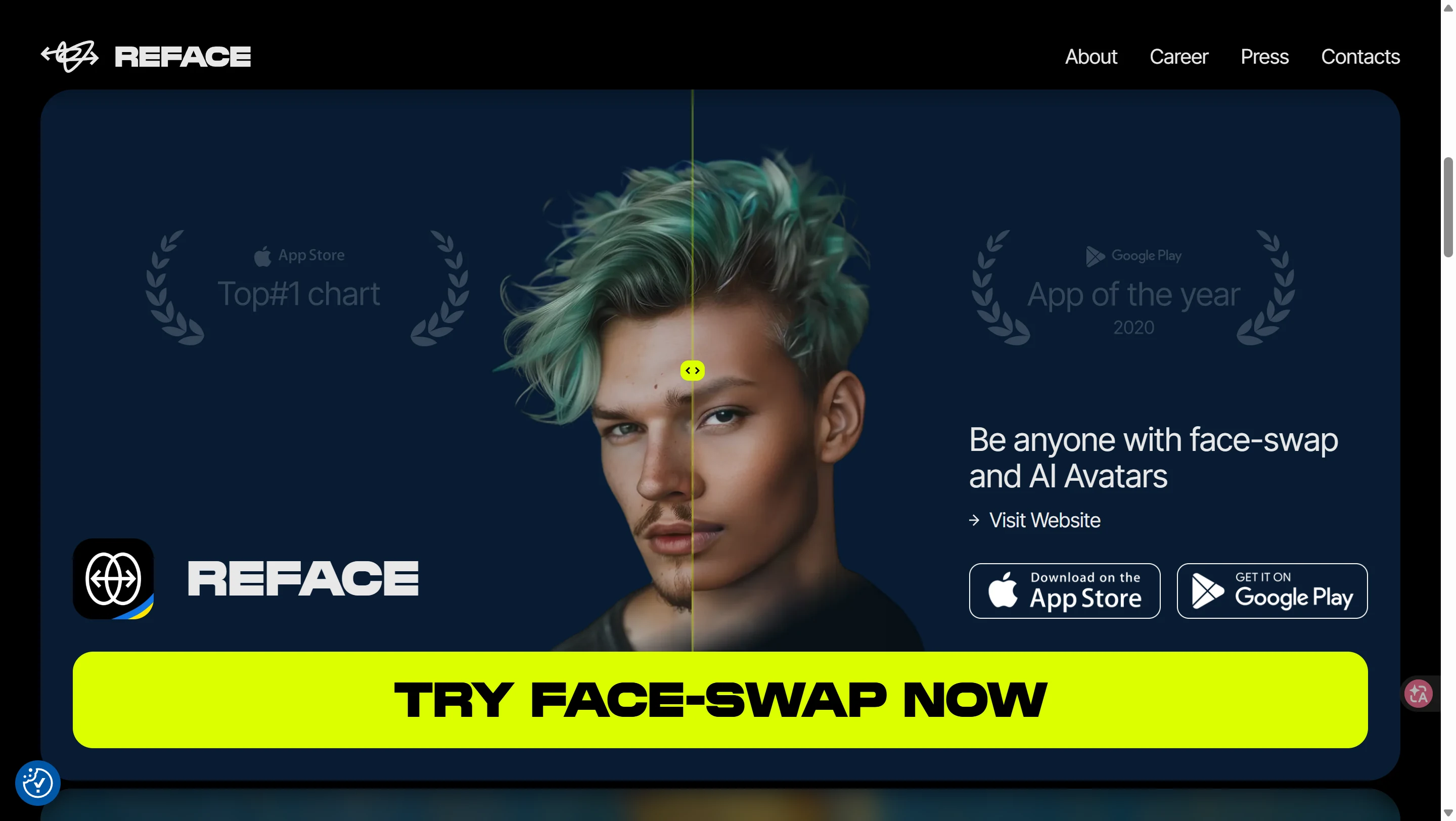
Reface is one of the most iconic deepfake apps for the general public. With 300M+ downloads, 100M+ on Google Play, and a 4.8-star rating on the App Store, it's the gateway drug of face swapping — pure entertainment, pure fun.

Reface isn't a productivity tool — it's an AI playground. Open it up, and it feels more like a "fun AI effects library" than a professional video workstation. Its biggest advantage: the first time an average person tries deepfake, Reface delivers that instant "wow, this is amazing" gratification.

If you're looking to make TikTok, Instagram, or group chat content, Reface's product maturity and mobile experience are still top-tier. But if you compare it head-to-head with DeepSwap or HeyGen on "professional quality," it may feel lacking. Viewed as an entertainment app, though, it's still best in class.

Reface excels at "good enough to post" scenarios — not at "I need movie-quality face forgery." For most regular users, it's more than enough. For professionals, it's not controllable enough.

Reface

Pros

  • +Massive template library — movie clips, memes, trending content
  • +Incredibly fast — results in seconds
  • +Best mobile UX for social sharing
  • +Fun AI features: animated photos, AI singing, avatar filters

Cons

  • Limited control for professional use
  • Not suitable for enterprise or brand teams
  • No free trial credits — in-app purchases required

Pricing

  • Weekly: $3.99–$6.99 | Monthly: $12.99 | Annual: $24.99

How to Use

  1. 1

    Download the app or visit the web version.

  2. 2

    Upload a selfie.

  3. 3

    Pick a template.

  4. 4

    Wait a few seconds.

  5. 5

    Save and share.

Best For: Regular users, TikTok/Instagram content, anyone who wants the easiest mobile face-swap experience.

Who It's For: Casual users, short-video entertainment, people who want the fastest mobile experience.

Not Ideal For: Anyone who needs fine control, enterprise/brand teams, or heavy long-video users.

#5

HeyGen

Best for Marketing

AI Avatar Video Platform for Content Teams

4.6

My Verdict

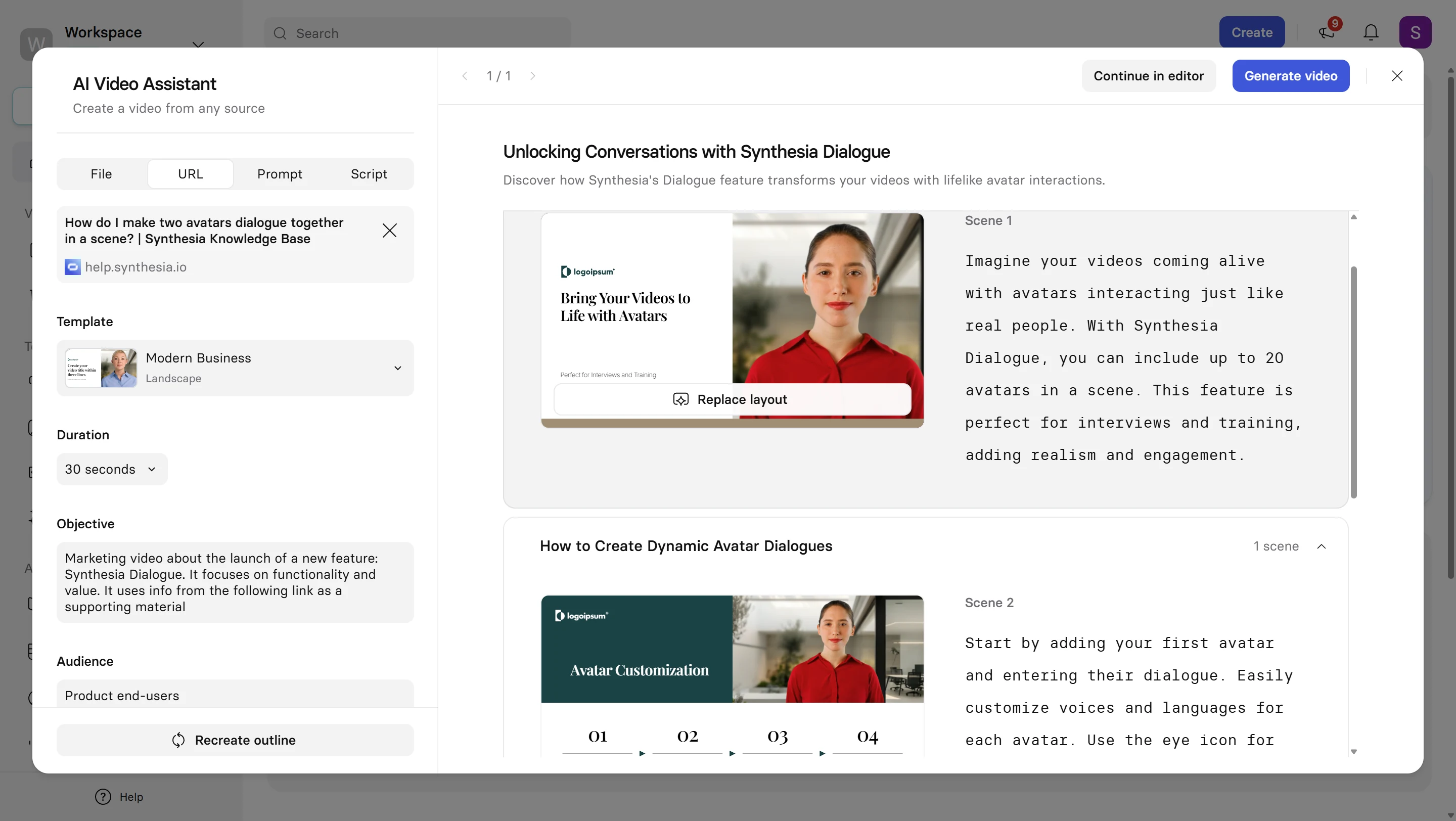
HeyGen isn't a traditional "deepfake app" anymore — it's a mature AI video creation platform. Many users searching for deepfake end up here not because they want to "forge someone's face," but because they want to create realistic AI talking-head videos.

It's perfect for marketing videos, personal brand content, product intros, and cross-language localization. With features like Stock Avatars, Photo Avatars, Digital Twins, Voice Clone, Avatar IV (more natural expressions, movements, lip sync), 175+ languages, video translation, and lip sync — HeyGen is built for content and marketing teams.

If DeepSwap is "more like a face-swap tool," HeyGen is "more like an AI anchor/digital-avatar video studio." G2 reviews praise realistic avatars, ease of use, and fast video creation. Common complaints: the credit system and cost.

My take: HeyGen is far more mature than template-based deepfake apps at making "content that looks like a real person talking" — especially for brand short videos, multilingual content, and explainer videos. But if your core need is precisely pasting Face A onto Movie Clip B, that's not its strongest use case.

HeyGen

Pros

  • +Industry-leading avatar realism with full-body motion
  • +175+ languages with natural lip sync
  • +Digital Twin and Voice Clone for personal branding
  • +Powerful API for automated video at scale

Cons

  • Credit system can get confusing and costly
  • Overkill if you just want casual face swapping
  • Steep learning curve for advanced API usage

Pricing

  • Free: $0 (limited)
  • Creator: $29/mo | Pro: $99/mo | Business: $149/mo

How to Use

  1. 1

    Choose a stock avatar or create your own Digital Twin.

  2. 2

    Input your script.

  3. 3

    Select voice, language, and camera style.

  4. 4

    Generate the video.

  5. 5

    Add translation and lip sync if needed.

Best For: Content teams, marketing teams, personal IP builders, and global growth teams.

Who It's For: Content teams, marketing teams, personal IP creators, global growth teams.

Not Ideal For: Anyone who just wants to play with face swaps or make lightweight entertainment content.

#6

Synthesia

Best Enterprise

Enterprise AI Video Platform — Compliance First

4.5

My Verdict

Synthesia is the most "enterprise" platform on this list. Trusted by 50,000+ teams, rated 4.7/5 on G2 with 2,000+ reviews, and used by 90% of Fortune 100 companies. Its mission isn't to make the most creative deepfake — it's to build the most governable, scalable AI video system for organizations.

Many people searching for "deepfake app" assume all products are similar. But at the enterprise procurement stage, Synthesia and Reface/DeepSwap are in completely different leagues. Synthesia offers 240+ stock avatars, 160+ languages & voices, AI dubbing in 130+ languages, templates, workflows, interactive videos, collaboration, analytics, Personal and Studio Avatars, and explicit consent mechanisms.

Synthesia's style isn't "most impressive" — it's "most stable." It's perfect for training, internal comms, standardized information delivery, course videos, and collaborative video production. For enterprises, stability is often more important than spectacle.

My overall take: if you're doing corporate training, L&D, customer service, internal communications, or process videos, Synthesia is rock solid. If you need stronger expression, more "lifelike influencer" marketing clips, HeyGen tends to feel more alive.

Synthesia

Pros

  • +Trusted by 90% of Fortune 100 — enterprise-grade credibility
  • +240+ avatars, 160+ languages — massive scale
  • +Strong consent mechanisms and governance features
  • +Collaboration, analytics, and workflow built in

Cons

  • Avatars still not perfectly natural
  • Limited motion and expression customization
  • Not for unrestricted creative face swapping

Pricing

  • Basic: Free
  • Starter: $29/mo | Creator: $89/mo | Enterprise: Custom

How to Use

  1. 1

    Pick a template and avatar.

  2. 2

    Input your script, or import a PPT/PDF.

  3. 3

    Arrange layout, subtitles, and brand elements.

  4. 4

    Generate the video.

  5. 5

    Add dubbing, localization, or reviews as needed.

Best For: Corporate training, internal communications, L&D teams, and organizations that prioritize consent, governance, and brand safety.

Who It's For: Corporate training, internal comms, teams that need consent, governance, and brand safety.

Not Ideal For: Anyone who wants unrestricted face-swap creation or maximum entertainment value.

#7

AKOOL

Widest Capability

Full-Spectrum Marketing & Real-Time AI Video Platform

4.4

My Verdict

AKOOL has the widest capability range of all 7 products: face swap, avatar video, video translation, talking photo, live camera, API — it does almost everything. Compared to HeyGen and Synthesia, it leans more toward marketing and interactive scenarios.

The official site claims 7M users, 73K companies, 300M AI assets generated. G2 shows 4.8/5 with 527 reviews. Core features include photo/video face swap, 155+ language video translation, live camera / real-time digital humans, talking avatar/photo, API, workspace collaboration — all geared toward marketing, sales, education, and events.

AKOOL's biggest draw is its wide capability boundary and marketing-oriented approach. The site directly showcases ad campaigns and marketing case studies. User reviews praise its ability to quickly turn scripts into professional-looking videos, product demos, and training content.

The catch: the more features a platform offers, the more users need clear pricing and billing logic — but AKOOL's public pricing isn't the clearest. Heavy users should definitely calculate costs carefully before committing. After testing, I found AKOOL also supports some NSFW image and video face swapping.

AKOOL

Pros

  • +Widest feature range: face swap, avatars, live camera, API
  • +155+ language video translation
  • +Real-time streaming and live face swap capability
  • +Strong for event marketing and interactive campaigns

Cons

  • Pricing display and billing clarity could improve
  • Can feel overwhelming for simple use cases
  • Cost can add up quickly for heavy use

Pricing

  • Basic: Free
  • Pro: $30/mo | Pro Max: $119/mo | Studio: $500/mo

How to Use

  1. 1

    Choose the right module for your scenario.

  2. 2

    Upload your material or script.

  3. 3

    Select language, voice, and model.

  4. 4

    Generate your content.

  5. 5

    Continue with API calls or team collaboration.

Best For: Event marketing teams, agencies, API integrators, and teams needing real-time interactive AI capabilities.

Who It's For: Event marketing, agencies, API-dependent teams, and anyone needing real-time interaction or complex interactive scenarios.

Not Ideal For: Solo creators on a tight budget or anyone who values simple, transparent pricing above all.

Head-to-Head Comparison

All 7 deepfake apps at a glance. Scroll sideways on mobile.

AppTypeCore StrengthDifficultyStarting PriceBest For
DEEP-FAKE.AIWebAll-in-one creative suiteLowFree / $9.99/moSolo creators
DeepSwapWebHigh-similarity face swapLow~$9.99/moRealistic swaps
FaceFusion.coWebNo install, cloud-basedVery Low$9.99/moQuick web trial
RefaceApp + WebTemplate fun, social sharingVery LowFree + IAPMobile entertainment
HeyGenWebAI avatars, multilingual videoMedium-LowFree / $29/moMarketing teams
SynthesiaWebEnterprise training, complianceMedium-LowFree / $29/moCorporate training
AKOOLWebLive camera, API, real-timeMediumFree / $30/moEvents & API

How to Choose by Budget

Match your spending to the right deepfake app.

Low Budget / Just Exploring

Want to try face swapping or do lightweight creative work without spending much?

Start with DEEP-FAKE.AI, Reface, or DeepSwap. Consumer-grade tools, low trial cost, fast to learn.

Mid Budget / Ongoing Content

Budget is $29–99/month and you'll be producing content regularly?

HeyGen and Synthesia offer the best value — you're buying a full video production pipeline, not just single face swaps.

High Budget / API & Enterprise

Need API access, live streaming, or complex marketing campaigns?

AKOOL has the widest capability range — but don't just look at the feature list. Calculate credits, plans, team size, and add-on costs first.

Scene-Based Recommendations

Not sure which app fits your use case? Find your scenario below.

  • Solo creator wanting an all-in-one tool? → DEEP-FAKE.AI
  • Just want the most fun deepfake app? → Reface
  • Care most about realistic results in the browser? → DeepSwap
  • Want FaceFusion-level power without installation? → FaceFusion.co
  • Marketing team, content team, or global growth team? → HeyGen
  • Corporate training and compliance? → Synthesia
  • Event marketing, live streaming, or API integration? → AKOOL

Final Rankings by Category

Different priorities, different winners.

Best for Solo Creators

  1. 1DEEP-FAKE.AI
  2. 2DeepSwap
  3. 3FaceFusion.co
  4. 4Reface

Best for Social Media Fun

  1. 1Reface
  2. 2DEEP-FAKE.AI
  3. 3FaceFusion.co
  4. 4DeepSwap

Best for Browser-Based Swap

  1. 1DeepSwap
  2. 2FaceFusion.co
  3. 3DEEP-FAKE.AI

Best for Marketing Video

  1. 1HeyGen
  2. 2Synthesia
  3. 3AKOOL

Best for Enterprise Procurement

  1. 1Synthesia
  2. 2HeyGen
  3. 3AKOOL
  4. 4DeepSwap
  5. 5FaceFusion.co

Widest Capability Range

  1. 1AKOOL
  2. 2HeyGen
  3. 3DEEP-FAKE.AI

Frequently Asked Questions

Ready to Try It Yourself?

Start with a free face swap — no signup, no watermark, no commitment. Go from idea to finished content in under 30 seconds.